


Your management system in the cloud
Documents, records, actions and deadlines in one place – with one valid version, digital approval and access from both the office and the shop floor. We set up the system and run it.
5 standards in one system, 500+ companies advised since 2008 and Browser access without on-site installation.
Estimate the effort upfront: five-minute questionnaire (in German)
Since 2008, we have guided 500+ companies to certification, including these:
5.0reviews on Google



What the system looks like
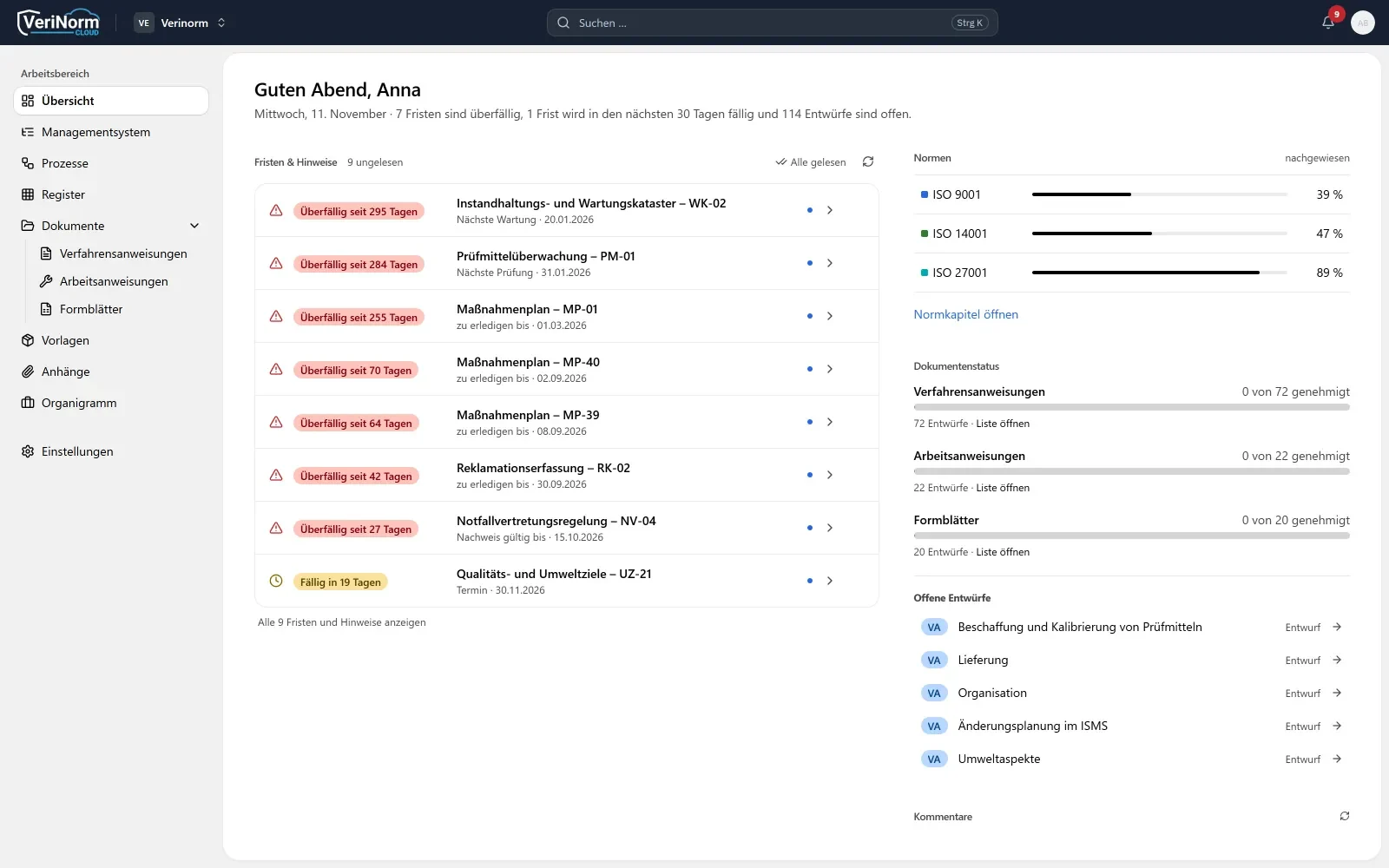
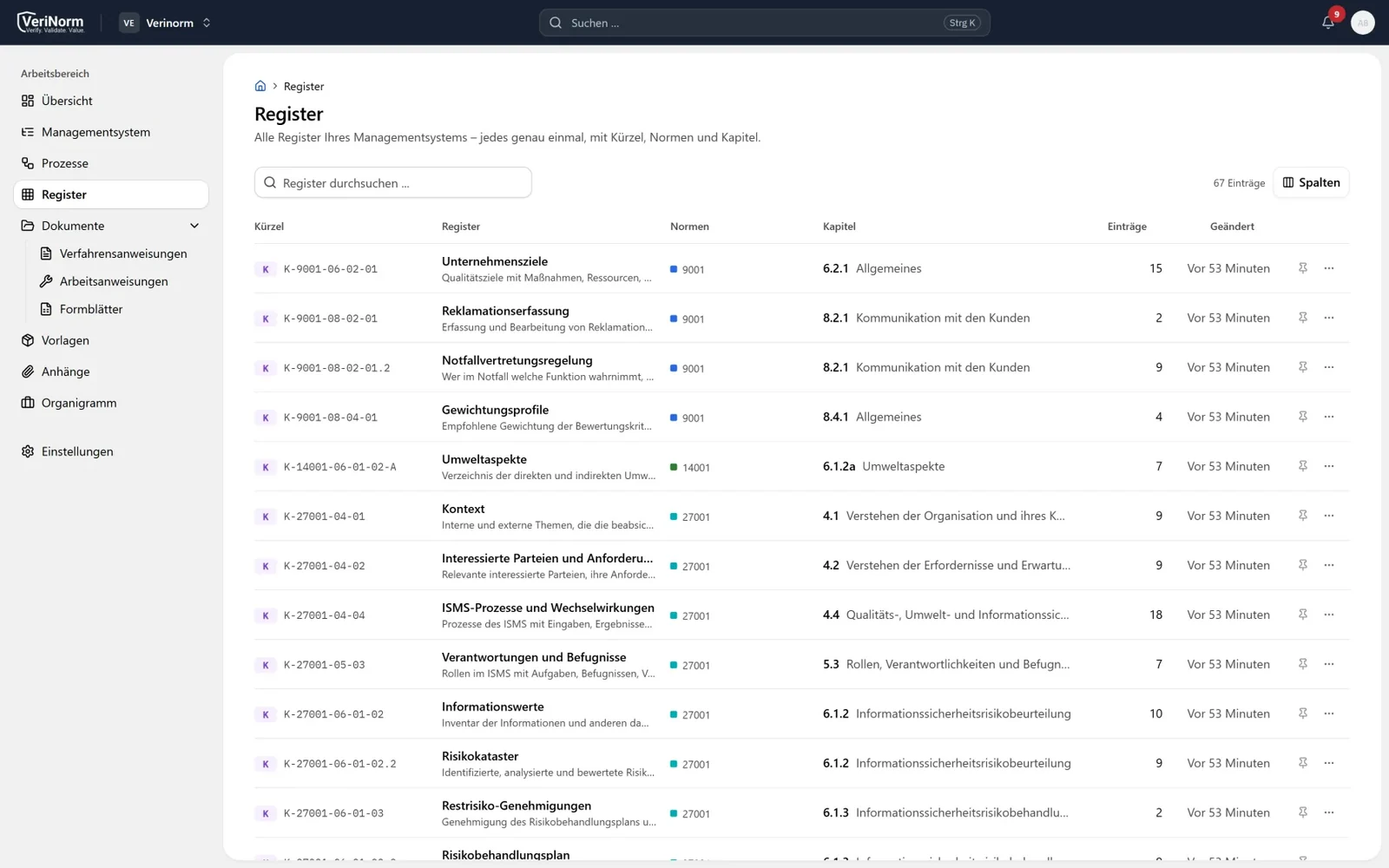
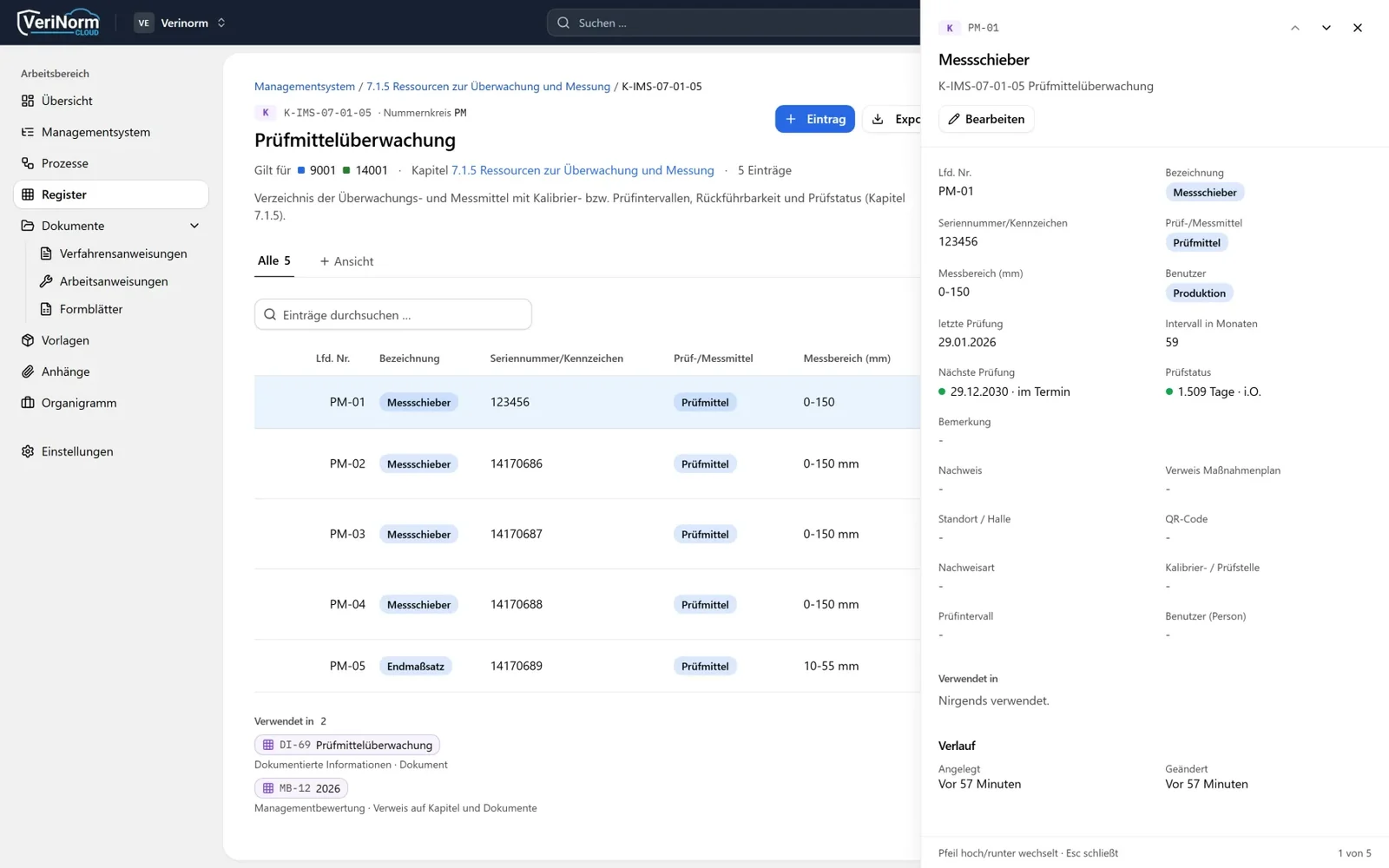
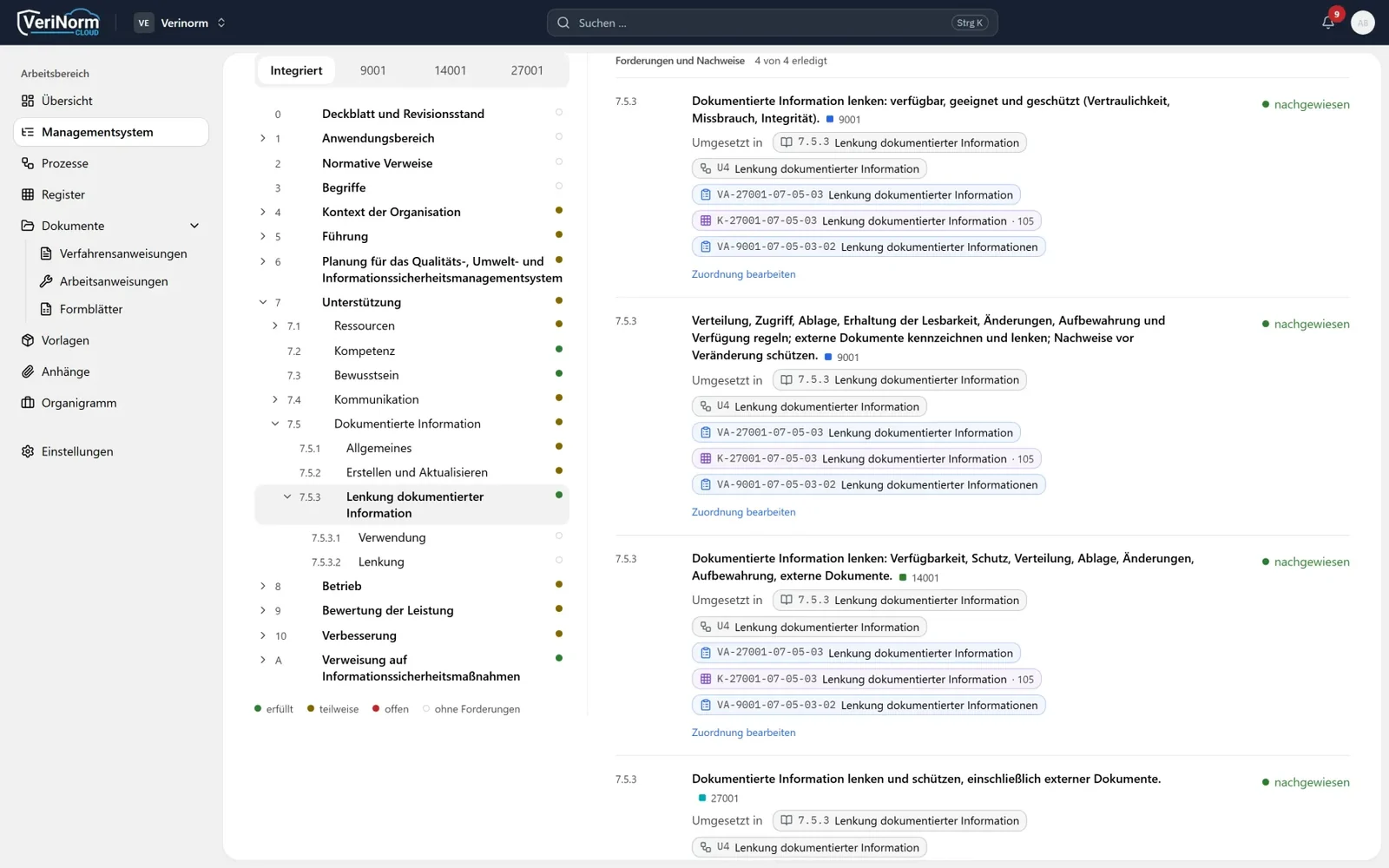
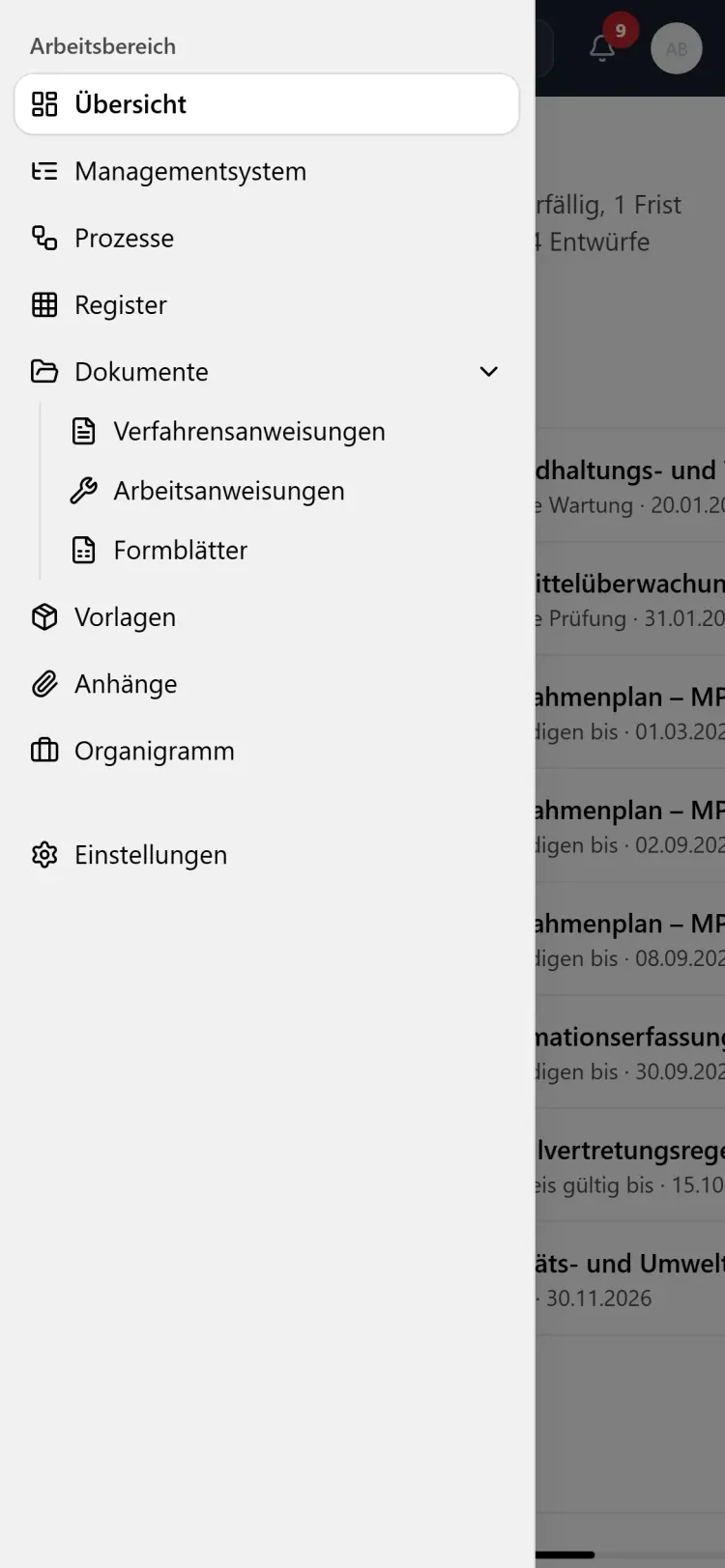
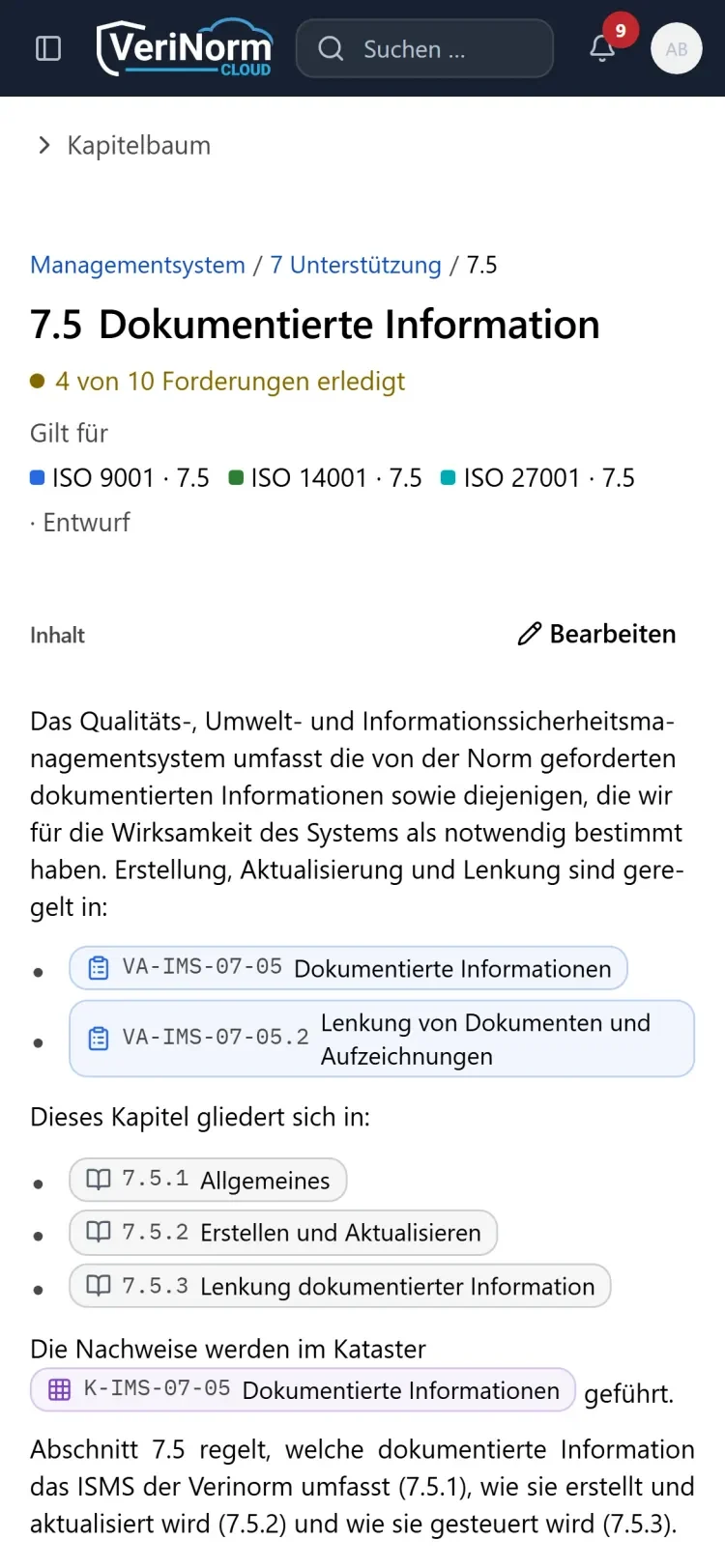
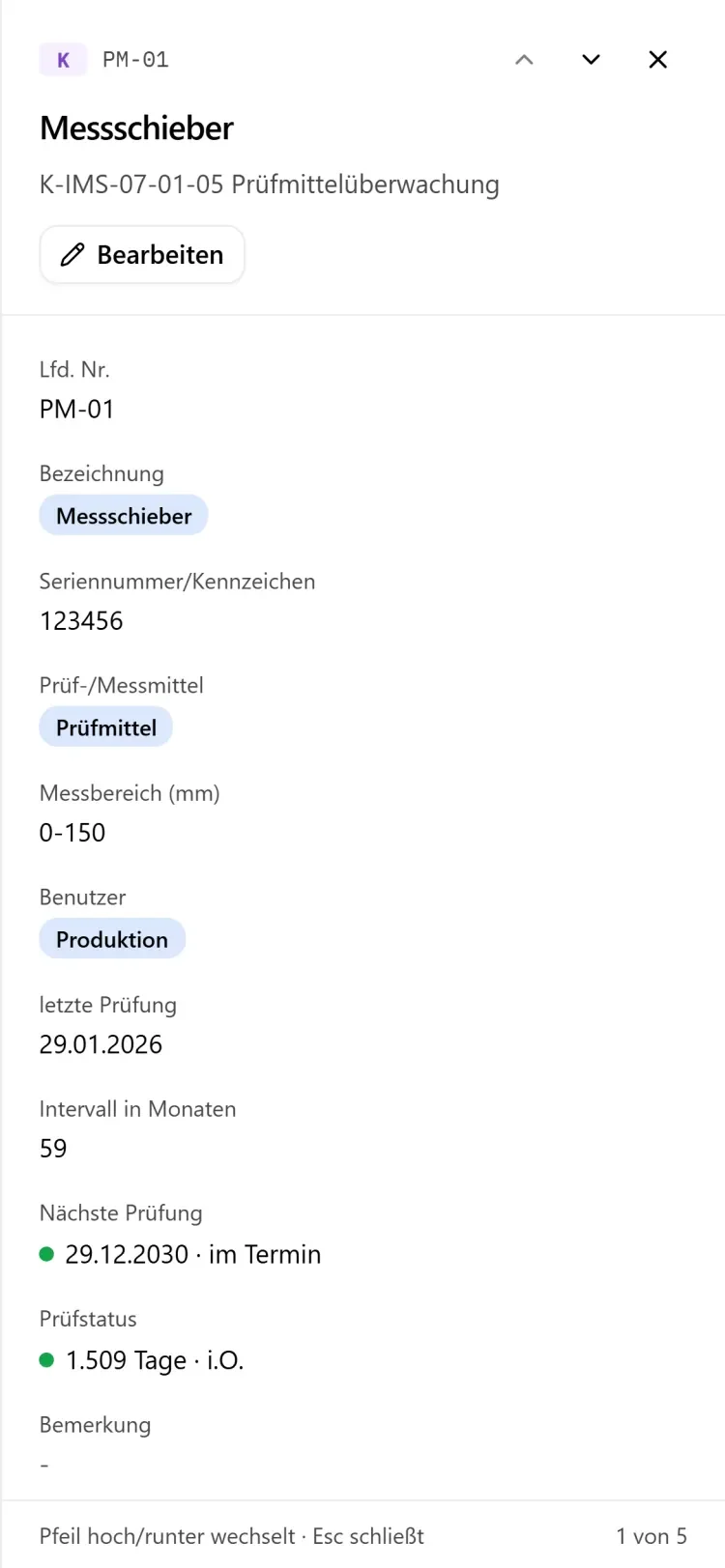
Real views from the Verinorm cloud system – from the overview to registers and clauses of the standard, through to the smartphone view.
What is due today: upcoming inspections, open actions and progress per standard – at a glance.
Before the audit, the search begins
Three weeks before the audit date, the same work begins in many companies: who has the latest version of the work instruction? Where is the record of the safety briefing from February? Which action from the last audit has been completed? The answers are spread across a drive, an inbox and two binders.
This does not just cost time. It is also the reason for one of the most common nonconformities: a record exists but cannot be found – and is therefore treated as not provided.
- Several versions of the same document
- There are three versions on the drive and a fourth in the inbox. Which one applies is known only to the person who last edited it.
- Records are created separately from the process
- Instruction, maintenance and inspection get done. The record then ends up in a binder – or not.
- Deadlines depend on one person
- Due inspections, reminders and open actions sit in the representative's calendar. If they are absent, the deadline is missed too.
A system that knows the current status
The management system runs entirely in the cloud. Maintenance, servicing and approvals all take place in the same interface you work in.
A change is submitted, reviewed and approved in the system. Person, date and version are then recorded on the document. Printing, signing and scanning back are no longer needed, and in the audit you can answer the question of who put a version into effect and when.
We handle maintenance, servicing and extensions centrally. No installation is needed on site and there is no server to look after. Access is via the browser – at the desk, on a tablet on the shop floor and on the move.
We first introduced the system in our own company and today use it as the basis for running our clients' management systems. It is continuously developed further; changes reach all clients without you having to do anything.
Key facts
- Infrastructure
- own, dedicated cloud
- Access
- browser, also tablet and phone
- On-site installation
- none
- Approval processes
- fully digital
- Maintenance and updates
- centrally by Verinorm
- Transfer and storage
- encrypted
- Backup
- automatic, continuous
- Standards
- ISO 9001, 14001, 45001, 27001, 50001
What changes compared with drives and binders
The same tasks, a different place. What matters is not the interface, but that version, approval and record stay together.
| Criterion | Drive, inbox, binders | Verinorm Cloud |
|---|---|---|
| Valid document version | Three versions on the drive, a fourth in the inbox. Which one applies is known only to the person who last edited it. | One valid version. Earlier versions remain visible as history but are no longer in circulation. |
| Approval | Print, sign, scan. Who approved what and when is buried in an email. | Approval in the system, with person, date and version attached to the document. |
| Records from operations | Instruction, maintenance and inspection get done; the record ends up in a binder later. | The record is created with the process and stays attached to it. |
| Upcoming deadlines | In one person's calendar. If they are absent, the deadline is missed too. | Reminders in the system, visible to deputies and management. |
| Actions from audits | Excel list, status unclear, effectiveness rarely checked. | Action with an owner, a deadline and a documented effectiveness check. |
| Multiple sites | Each site maintains its own filing. Discrepancies only come to light in the audit. | One system, shared requirements, site-specific records. |
| Audit preparation | Two to three weeks of searching across several drives. | Open items are pulled from the system and worked through. |
Audit preparation
The auditor asks for the record, not the binder
An audit checks samples: a safety briefing, a maintenance job, an action from the previous year. What is required is the supporting record – within a few minutes. If it is attached to the process in the system, the question is answered.
Before the audit date, we pull the open items from the system together and work through them – instead of gathering documents whose status nobody can confirm.
7.5 documented information, 7.2 evidence of competence, 9.2 internal audit and 10.2 corrective action.

How the introduction works
Five phases from the initial review to routine operation, each with a verifiable result.

Step 1 of 5
Initial review
- 1.2 weeks
Initial review
We look at what you maintain today: documents, records, lists, deadlines. This forms the structure of the system – you do not need to tidy up beforehand.
- 2.2 weeks
Set-up and access rights
Document structure, roles and access rights. Who may read, who may edit, who may approve – this is decided once and then applies to all processes.
- 3.4–5 weeks
Transfer of existing records
Valid documents move into the system, outdated versions are sorted out. We prepare, you confirm which version applies.
- 4.2–3 weeks
Training
Those involved learn the system using their own processes: finding a document, submitting a change, filing a record, closing an action.
- 5.3 weeks
Routine operation
The first approvals, deadlines and actions run in the system. We support them and adjust the structure wherever it gets stuck in day-to-day work.
Around three months from the initial review to routine operation. Transfer and training run in parallel. How long the transfer takes depends mainly on how many legacy documents need to be checked and how many sites are involved.
What we take on
- Review of existing filing and set-up of the structure
- Set-up of roles, access rights and approval workflows
- Transfer of valid documents and records
- Operation, maintenance and servicing of the system
- Training of those involved using their own processes
- Audit preparation from within the system
What stays with you
- Approving which document version applies
- Naming one responsible person per process
- Access to existing filing, lists and calendars
- Recording evidence where it is created
- Taking part in the training
What we are working on: the document-free management system
The next development stage manages information directly in the system instead of writing it into documents. It is currently in development and not yet in routine operation.
- No detour via documents
- Information is maintained directly in the system instead of being written into a file that then has to be distributed, versioned and found again.
- One version for everyone
- Anyone who opens a piece of information sees the current version. Printouts with outdated content are a thing of the past.
- No media breaks
- Process, record and approval stay in the same interface. There is no switching between file formats, inbox and paper.
Until then, operation remains document-based – with the difference that version, approval and record sit together in the system. If you start today, you will not have to switch systems later; you simply use the new stage as soon as it is available.
One system for several standards
- Shared requirements only once
- Document control, evidence of competence, internal audit and management review apply to all standards based on the High Level Structure. They are maintained once.
- Standard-specific content stays separate
- Environmental aspects, risk assessments, the information security risk register and the energy data each stand on their own – in the same system.
- Combined audit instead of separate audits
- The certification body audits several standards on one date. This reduces audit days and travel costs.
The system in detail
Cloud operation, technology and content – expand when you need it.
What cloud operation means in day-to-day work
- Access from anywhere
- Employees access the same version from the office, the shop floor, home and the field. With multiple sites, there is no question of which filing system is the master.
- Central maintenance and servicing
- Updates, extensions and maintenance are handled centrally. There is no server to look after on site and no software to roll out.
- Digital approval processes
- Approvals take place without media breaks and remain traceable. This shortens the path and answers the audit question of who put a version into effect and when.
- Scalability
- Additional users, sites or standards can be added without procuring hardware.
- Data security and availability
- Encrypted transfer, encrypted storage and continuous automatic backups. You assign the access rights yourself.
- Collaboration
- Several people work on the same process without sending files back and forth. Who changed what is recorded on the process.
Technology and data storage
- Own infrastructure
- The system runs on dedicated servers, not in a shared standard environment. You decide which content is added.
- Encryption
- Transfer and storage are encrypted.
- Automatic backup
- Backups run continuously without interrupting operations.
- Access from any device
- Access is via the browser. On a tablet on the shop floor the interface looks different from the desktop, but shows the same data.
What is managed in the system
The content depends on the standards you maintain. Almost every project covers the same areas: controlled documents with approval and history, records from operations, the audit programme with the results of internal audits, actions with an owner and a deadline, evidence of competence and training, and reminders for recurring inspections.
For an integrated system, the standard-specific parts are added: environmental aspects and compliance obligations under ISO 14001, risk assessments and safety instructions under ISO 45001, the risk register and the Annex A controls under ISO 27001 and the energy data under ISO 50001.
What a cloud system does not do
A system that knows the current status does not replace decisions. Objectives, evaluations and actions remain the responsibility of management – the standard explicitly requires them from top management, not from software.
The most common cause of nonconformities also remains if nobody is responsible: a record that nobody captures is missing in the cloud, too. That is why every introduction includes naming one person per process and training those involved using their own processes.
Frequently asked questions about the cloud management system
Access, data, standards, transfer and duration.
Do we need to install any software?
Where is our data stored?
Which standards does the system cover?
What happens to our existing documents?
How long does the introduction take?
Does the system replace our quality management representative?
You can reach us via the contact form. You can estimate the effort for your management system upfront using the questionnaire (in German). For an overview of our work, see our services page.
Get your management system out of the filing cabinet
In the free initial consultation, we look at what you maintain today. Afterwards, you will know what the transfer costs and how long it takes.
- Review of your existing filing, without you having to tidy up first
- Set-up, transfer and training from a single source
- We handle operation and maintenance; access is via the browser

Reply within one business day. The initial consultation is free and without obligation.